
Galactic conquest
Galactic Conquest is a single-player campaign across a map of territory you take one battle at a time. The map can be a galaxy of star systems, a flat theatre chart, cities joined by roads, or provinces on land masses. This page says "system" for one location on the map, which is a city on a Cities map and a province on a Territories map. You start holding a capital and a little territory; you win skirmishes to capture adjacent systems, defend against enemy incursions, and take every enemy capital to conquer the map. Each system is a full skirmish (map, game, AI opponents scaled to that system's difficulty); playing one launches it like any other skirmish, and on exit Coilbox works out win/loss and advances the map.
Conquests live under Conquest in the sidebar. You can generate one for any installed game, or play a map that came with your copy of coilbox or with the game.
If you make a game, Set up conquest for your game covers the names, factions and maps a game can supply.
Generate a map
Conquest > Generate a map opens a wizard. Every option below is deterministic from the seed. The same seed and settings always build the same map, so a good one can be rerolled or shared by its seed. The options come in this order, with the map style first because it decides which of the others apply.
| Option | What it does |
|---|---|
| Game | Which installed game the battles use. Auto-selected when only one qualifies. |
| Map style | Galaxy (stars in space), Theatre (a flat tactical chart), Cities (cities on generated land, joined by roads) or Territories (provinces on generated land masses). See Map styles. |
| Shape | How the map is laid out. Galaxy and Theatre offer Scattered, Spiral, Clusters and Ring. The Galaxy style calls the first two Scattered disc and Spiral arms, and also offers Real stars, the real systems around Sol at their true positions. Cities and Territories shape the land instead: One continent that runs off one to three sides of the map, a Coast with land on one side of a long shoreline, Two continents across a strait, an Archipelago of islands, an Inland sea with land all round it, or Landlocked land with lakes and no sea. Land may run off the edge of the map, and the strategic map draws a darker mirror image of the map beyond its edge. Surprise me picks one from the seed. Every shape stays fully connected. |
| Planet | Cities and Territories only. Which world the land is on. See Planets. Surprise me picks one from the seed. |
| Map size | How many locations the map has: Small (12), Medium (18), Large (28), Sprawling (40), Vast (56), Immense (80). Two larger sizes unlock with the threat levels. With Real stars this field is Radius from Sol instead, and every real system inside the radius is on the map. |
| Opposition | One to three enemy factions. Each gets its own capital, spread far from yours. |
| Threat level | How hard the opposing factions press. Higher levels unlock by winning. |
| Start position | Edge, with your rivals far across the map, or Centre, with them all around you. Centre unlocks by winning. Not offered with Real stars, where you start at Sol. |
| Starting territory | How much each faction begins with: Full frontier (the capital plus all its neighbours, the classic start) or a lean Capital only, +1, +2 or +3 nearest locations. A lean start still leaves something to attack on turn one. |
| Fog of war | Hides distant locations. See Fog of war. |
| Seed | The number every other option is rolled from. Reroll for a new map. |
A preview under the seed shows the map you will get. A Cities or Territories preview is drawn on the same land the strategic map uses, and appears a moment after you stop changing options.
Naming (system and faction names) comes from the game's branding and any distribution profile — see Names and factions.
Play a conquest
The strategic map is the whole screen. Drag to pan, scroll to zoom, right-drag to tilt. Click a system to select it; the panel shows its owner, difficulty and battlefield, and — when it's a legal move — an Attack or Defend button.
Attacking or defending zooms the camera to that system and opens the briefing over the live map. Launch battle starts the skirmish; on exit Coilbox reads the replay to detect the result (or asks, if it can't). One battle is one turn:
- Attack an enemy or neutral system adjacent to your territory. Winning captures it; losing costs only the turn.
- Defend when an enemy opens an incursion on one of your frontier systems (a warning appears top-right). Answer it before its grace runs out or the system falls without a fight — losing your capital loses the run.
Take every enemy capital to win. Start again resets the map with a new seed.
Fog of war
With fog on, systems more than two jumps from your territory are hidden — dim, unnamed and unclickable, with lanes fading into the dark. Enemy starting positions are hidden too. Fog is explored, not line-of-sight: once a system comes into range it stays revealed for the rest of the run, even if you later lose ground. The territory tally counts only what you can see, so it never leaks enemy positions.
Map styles
The style changes how the strategic map looks and what its locations are. The rules are the same in all four.
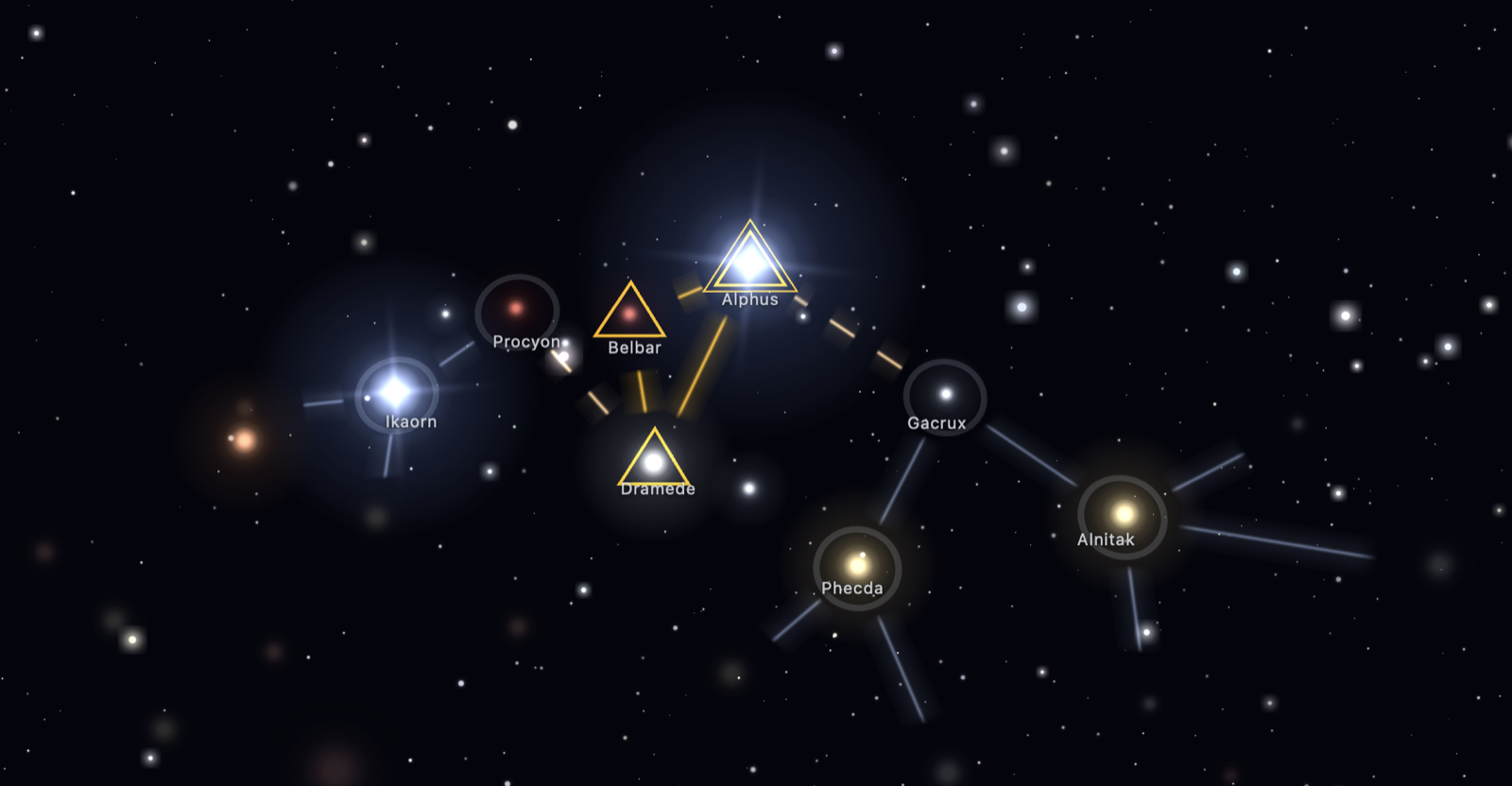
- Galaxy draws star systems joined by jump lanes over a 3D starfield.
- Theatre draws the same locations and links as a flat tactical chart, for a terrestrial game (a WW2 title, say) where a galaxy of stars makes no sense.
- Cities draws the locations as cities on generated land. The land is made first and divided into one region per city. Each city stands on the best ground in its region, which is low, away from the region's edge and near the coast where it can be. Neighbouring cities are joined by roads that keep off high mountains, and cities with sea between them by a crossing.
- Territories makes the land first and then divides all of it into provinces of different sizes, with borders that wander as real ones do. Provinces that share a border are neighbours, and sea crossings join the land masses.
Choose the style as Map style when generating. An authored map sets it through the document's theme. Regenerate map on a generated map builds a new one in the same style.
Theatre changes only how the map looks. Cities and Territories also change the shape of the map, because the locations sit on land and are joined by roads, borders and sea crossings. The rules for taking a location are the same in all four.
A challenge code carries the style, so whoever imports it plays the same map. A code made on a Cities or Territories map needs a Coilbox new enough to know those styles. An older one reads it as a Galaxy.
Planets
A Cities or Territories map is built on one of seven planets. The planet decides the ground, the sea and whether the sea can be crossed. It does not change the rules.
- Temperate has grassland, forest, desert, tundra and snowy mountains round a blue sea.
- Desert has dunes, rock flats, mesas and scrub, with salt pans in its low basins and a little water.
- Ice has snowfields, bare ice and tundra. Its sea is a frozen sheet.
- Red has red dust and dark basalt. Its sea is a dry basin.
- Moon has grey regolith and craters. Its sea is the dark maria.
- Volcanic has dark basalt and ash round a sea of lava.
- Acid has dull yellow and brown ground and brown forest round a green acid sea.
Each kind of ground is drawn with its own surface as you zoom in: dune ridges, cracked salt, cratered regolith, blocks of basalt, a crust on the lava and cracks and ridges in the sea ice. Performance mode draws the plain colours without it.
The planet also decides what its settlements look like. Temperate, Desert and Ice are settled in the open: towns of small roofs along curving streets, with sheds at the edge and taller blocks in the middle of a large one. Red, Moon, Volcanic and Acid have sealed outposts: domes and long modules joined by tubes, with landing pads, solar arrays and greenhouses beside them. Roads follow suit. A sealed planet has wheel ruts, graded ways and a transit tube into each capital where an open one has dirt tracks and surfaced roads. A place where many roads meet grows into a city, and one at the end of a single track stays an outpost.
Towns farm the land round them where it can be farmed. Grassland gets a green patchwork with hedges. Desert's scrub gets dry country's farming: irrigated plots, fallow ones, olive groves and vineyards, with tracks between them. Nothing is farmed on dunes, on Temperate or on Desert.
Nothing crosses lava or acid, so a Volcanic or Acid map is one land mass and offers four shapes: One continent, Coast, Inland sea and Landlocked. On the other planets a crossing joins the land masses. It is a shipping lane over water, and a solid track over ice, a dry basin or the maria.
The planet also names the places on it:
- Temperate has composed English names, such as "Ironcoast" and "Northmarch".
- Desert has dry country's, such as "Bonedraw" and "Saltsink".
- Ice has northern ones, such as "Stormfjord" and "Winterhold".
- Red has a classical name and the kind of feature, as Mars is mapped: "Utopia Fossae", "Solis Montes".
- Moon has the kind of feature and a Latin name, as the Moon is mapped: "Mare Ventorum", "Lacus Aestuum".
- Volcanic has hard invented names, such as "Moradum" and "Rukh-kor".
- Acid has poisoned ground's, such as "Vitriolmoor" and "Brineflats".
A game that supplies its own place names gets them on every planet (see Names and factions).
The Conquest list shows the planet under each Cities or Territories map.
A map made before planets existed is Temperate. A challenge code carries the planet. A Coilbox from before planets ignores it and builds the Temperate map of the same seed, which for Volcanic and Acid can be a different land.
Play a hand-made map
A game maker can ship a map drawn by hand instead of a generated one. A hand-made map is listed on the Conquest page with its picture and title. A label shows where it came from: Bundled for a map a distribution ships, From the game for a map the game archive carries, or no label for a map you imported.
To import one, choose Import map on the Conquest page and pick the zip. If a map with the same id is installed, Coilbox asks whether to replace it. A conquest in progress on it carries on with the new map. A map the reader refuses is not installed, and the drawer lists every reason. The hand-made maps guide explains each message.
A hand-made map has one conquest at a time. Its setup panel offers fog of war, a threat level and a seed. The size, shape and style are the map's own. The seed sets how enemies move and which battlefield each location with no set battle is fought on. The map itself never changes.
Some locations on a hand-made map play a scenario in place of a skirmish. You play it once, when you first attack there. After that, attacks on that location are skirmishes on the scenario's map.
A conquest saves the map's id and not the map. Coilbox reads the map from its folder each time, so an update to the map takes effect on a conquest in progress. A conquest cannot be opened while its map is missing. The Conquest page keeps the save and says why, and the conquest carries on once the map is back. Remove deletes an imported map. A map with a conquest on it offers Abandon instead.
Once a conquest exists on a hand-made map, its card has a share button. The challenge code names the map and its version. The other player needs the same version installed, and a player without it is told which map and game to get. See Versions and challenge codes for what makes a new version.
A game can ask for its own maps only. Then Generate a map does not offer that game, so a World War 2 game is never played across a galaxy. See Hide the generated styles.